

 
|

|
Units
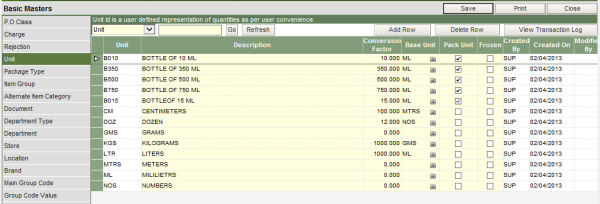
The units master is where all the possible unit of measurement to be used in the application is configured. Both, the base and the derived units are defined in this section.
To define the units
I. Type in the 4 character alphanumeric unique unit code.
II. Type in the description of the unit code
III. If the unit code being defined is a base unit, example ML, GRAMS etc. the field of conversion factor should be left blank. On the other hand if the unit code being defined is a derived unit then the conversion factor of the unit should be defined.
IV. Select the base unit from the drop down list, from which the unit being defined is derived.
V. The checkbox in the column of Pack Unit should be ticked, if the same code needs to be defined as a pack type for items. The system will automatically create the same code as a pack id in the Pack Type master, on ticking the checkbox.
